
API Usage SOP
1) Get Access Token (OAuth2 Client Credentials)
Use OAuth2 Client Credentials to get an access_token before calling any OpenAPI endpoint.
Note: Pylontech OpenAPI does not currently support self registration.
To requestclient_idandclient_secret, email technical support at:
zhao.kai@pylonttech.com.cmyuan.zhiyan@pylontech.com.cnDefault token expiry is 24 hours. Please manually call the token endpoint again to refresh/renew access.
- Method:
POST - Europe_URL:
https://openapi.pylontechcloud.com/api/auth/oauth2/token - Australia_URL:
https://openapi-au.pylontechcloud.com/api/auth/oauth2/token - Header:
Content-Type: application/x-www-form-urlencoded - Body (form-urlencoded):
grant_type=client_credentials(required)client_id=<your_client_id>(required)client_secret=<your_client_secret>(required)scope=<optional_scope>(optional)
Example requets:
json
curl --location 'https://openapi.pylontechcloud.com/api/auth/oauth2/token' \
--header 'Content-Type: application/x-www-form-urlencoded' \
--data-urlencode 'grant_type=client_credentials' \
--data-urlencode 'client_id=YOUR-ID' \
--data-urlencode 'client_secret=YOUR-SECRET'
Example response:
json
{
  "access_token": "eyJ...",
  "token_type": "Bearer",
  "expires_in": 3600,
}
Use this header in API calls:
Authorization: Bearer {access_token}
2) Bind Site Authorization (Need Site ID First)
Before data access, bind the site to your client.
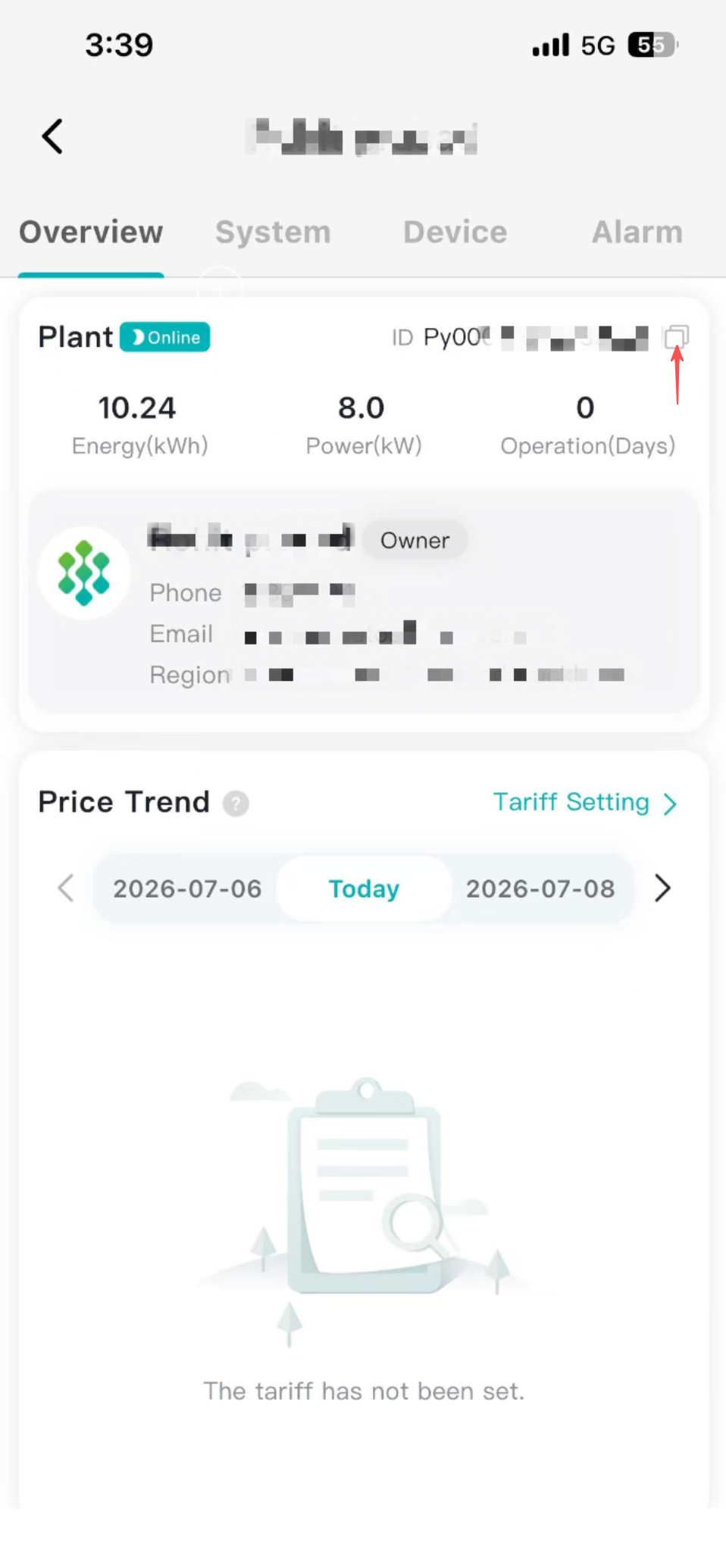
2.1 Find Site ID
From the Plant Management page, copy the value in the Plant ID column (as shown below).
2.2 Bind Site
- Method:
POST - URL:
/v1/sites - Header:
Authorization: Bearer {access_token}Content-Type: application/json
- Body:
json
{
  "siteId": "your-site-id"
}
3) API Data Categories
3.1 Uplink Data (Read)
Uplink data is organized into two levels:
- Site Level
- Device Level
The available data types include:
- Telemetry data (including voltage, current, power, energy, temperature, etc.)
- Energy statistics (daily, monthly, and yearly aggregated energy data)
- Device alarms
3.2 Downlink Data (Write)
Downlink data is organized in three types:
- Configuration
- Command
- Schedule
Key difference:
- Configuration: no time window. It is persistent and remains effective until updated (for example, site export limit).
- Command: has a time window (
startTimetoendTime). It is executed only within that specific period (for example, force battery charge/discharge). - Schedule: a recurring charge/discharge plan defined by time windows and actions (for example, daily charge or discharge periods).